
Aircraft Cabin Training Solutions for Airlines and Cabin Crew
Aircraft cabin training solutions help airlines, cabin crew departments and aviation training teams turn approved aircraft information into visual and interactive learning environments. 360air.space combines interactive aircraft virtual tours, cabin zones, seat maps, hotspots, videos and offline delivery to support aircraft familiarisation, recurrent preparation, equipment-location training and instructor-led learning.
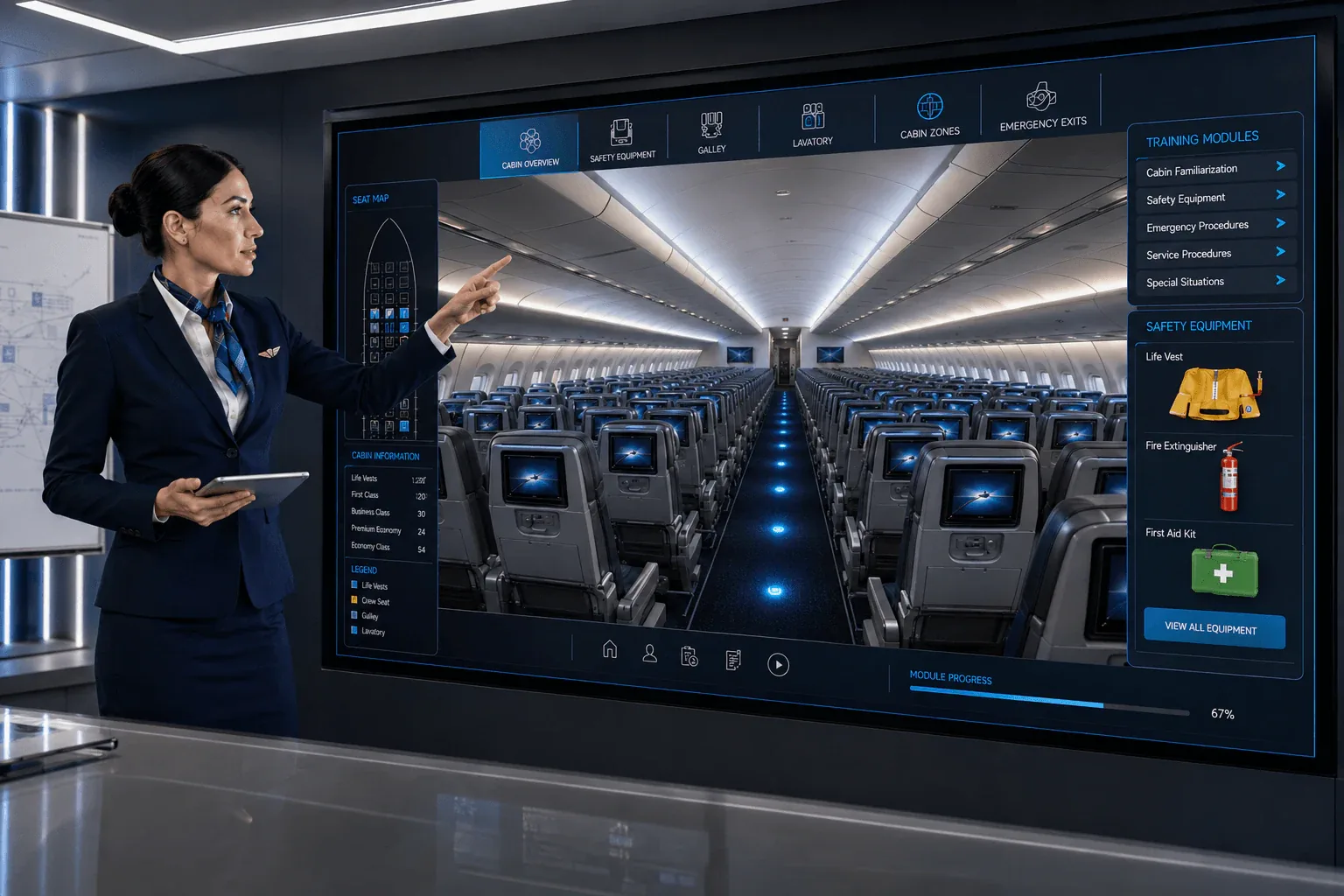
Interactive Aircraft Cabin Training and Familiarisation
Visual context can make aircraft familiarisation easier to understand by allowing learners to explore the cabin layout and find relevant information where it is located. Interactive cabin training can supplement manuals, classroom instruction and practical training with a guided digital environment for familiarisation, equipment location, procedures and aircraft-specific preparation.
- Interactive 360° cabin walkthroughs with clickable training hotspots
- Cabin zones, seat maps, galleys, lavatories and emergency equipment
- Service procedures, crew familiarization and troubleshooting guidance
- Emergency equipment location plans with training videos and instructions
- Online, offline, touch display and branded mobile app delivery
Built for cabin crew, trainers and aviation operations
Each aircraft cabin training solution can be adapted to the aircraft type, cabin configuration, airline-approved content, target audience and learning objective. The digital environment can support initial familiarisation, recurrent preparation, service training, equipment-location learning, premium-cabin familiarisation and aircraft-specific onboarding.
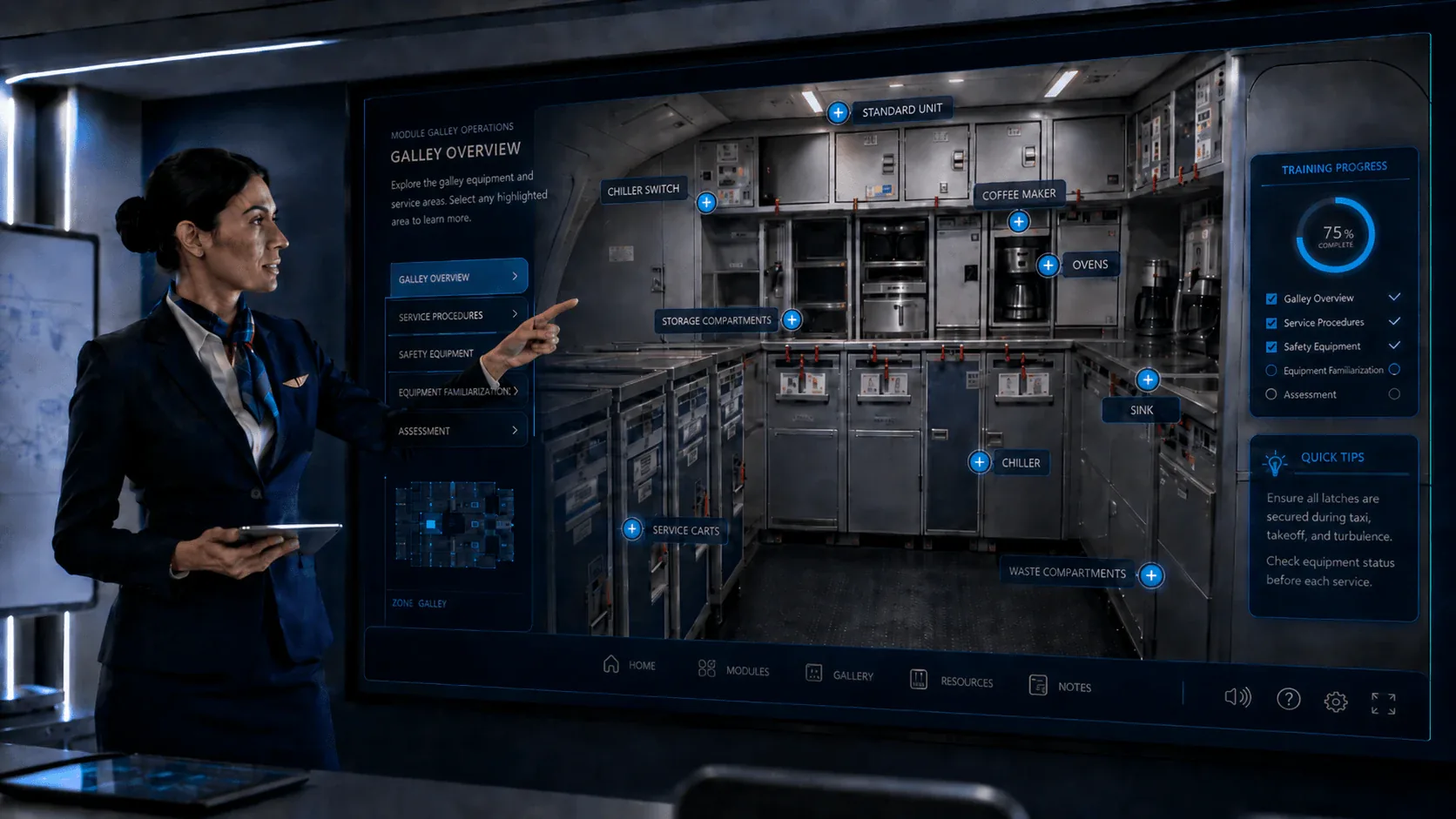
Galley training and service equipment familiarization
Galley areas contain many service and safety-critical elements. 360air.space can create interactive galley training modules for ovens, coffee makers, chillers, sinks, service carts, storage compartments, waste areas, safety latches and equipment checks. This helps crew members learn locations and procedures before entering the aircraft.
Emergency Equipment Location and Familiarisation
Emergency equipment familiarisation can combine an aircraft equipment-location plan, clickable equipment icons, quantity information, storage location, purpose, approved reference information and training videos. This gives cabin crew a clear visual reference for life vests, fire extinguishers, first-aid kits, oxygen bottles, megaphones, protective breathing equipment and other aircraft safety items.
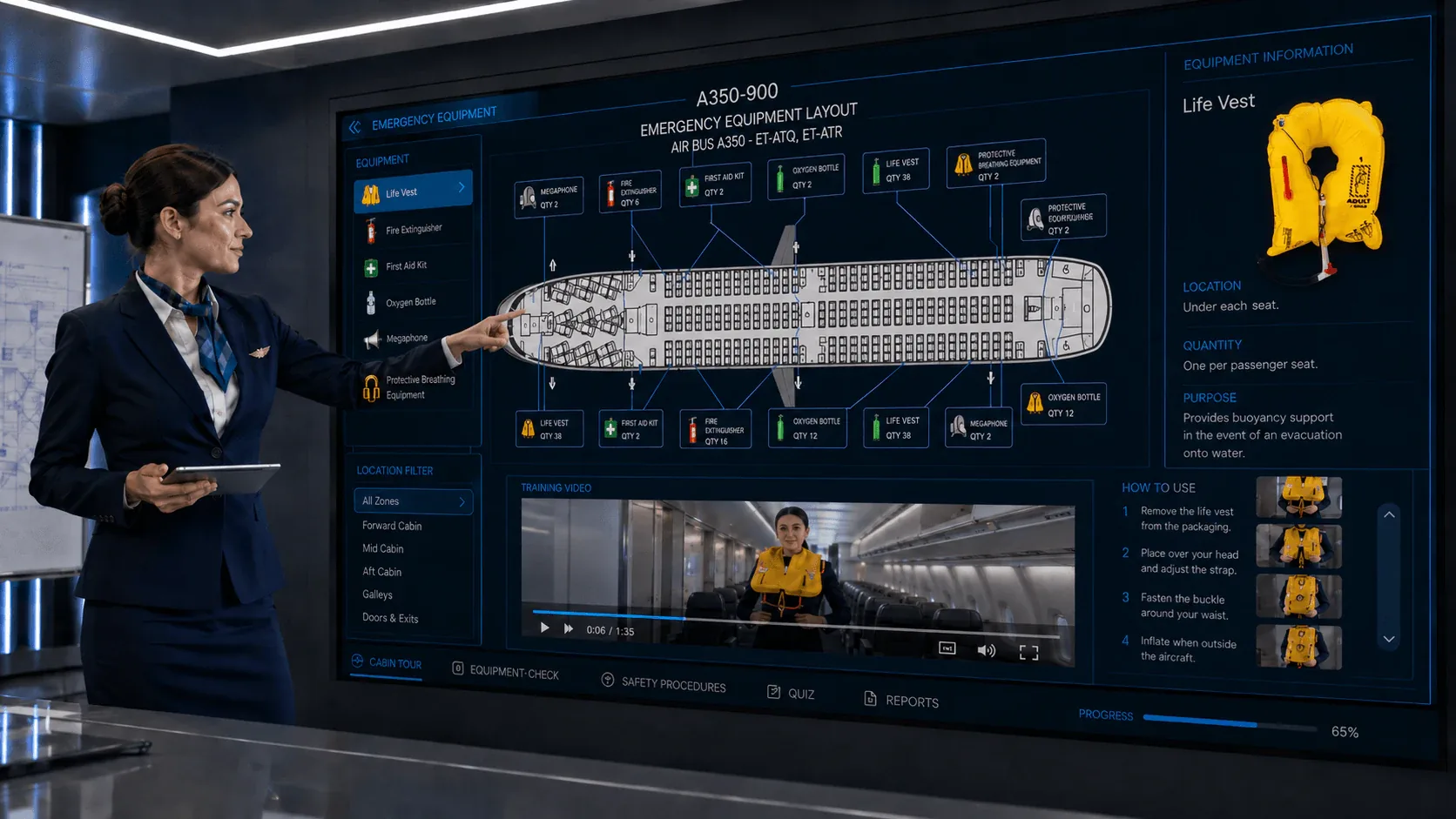
Video-based emergency equipment check training
Training videos can be embedded directly into the digital aircraft training environment. This allows crew members to review equipment checks, preparation steps and usage guidance in context, while the aircraft layout and equipment information remain available on the same training page.
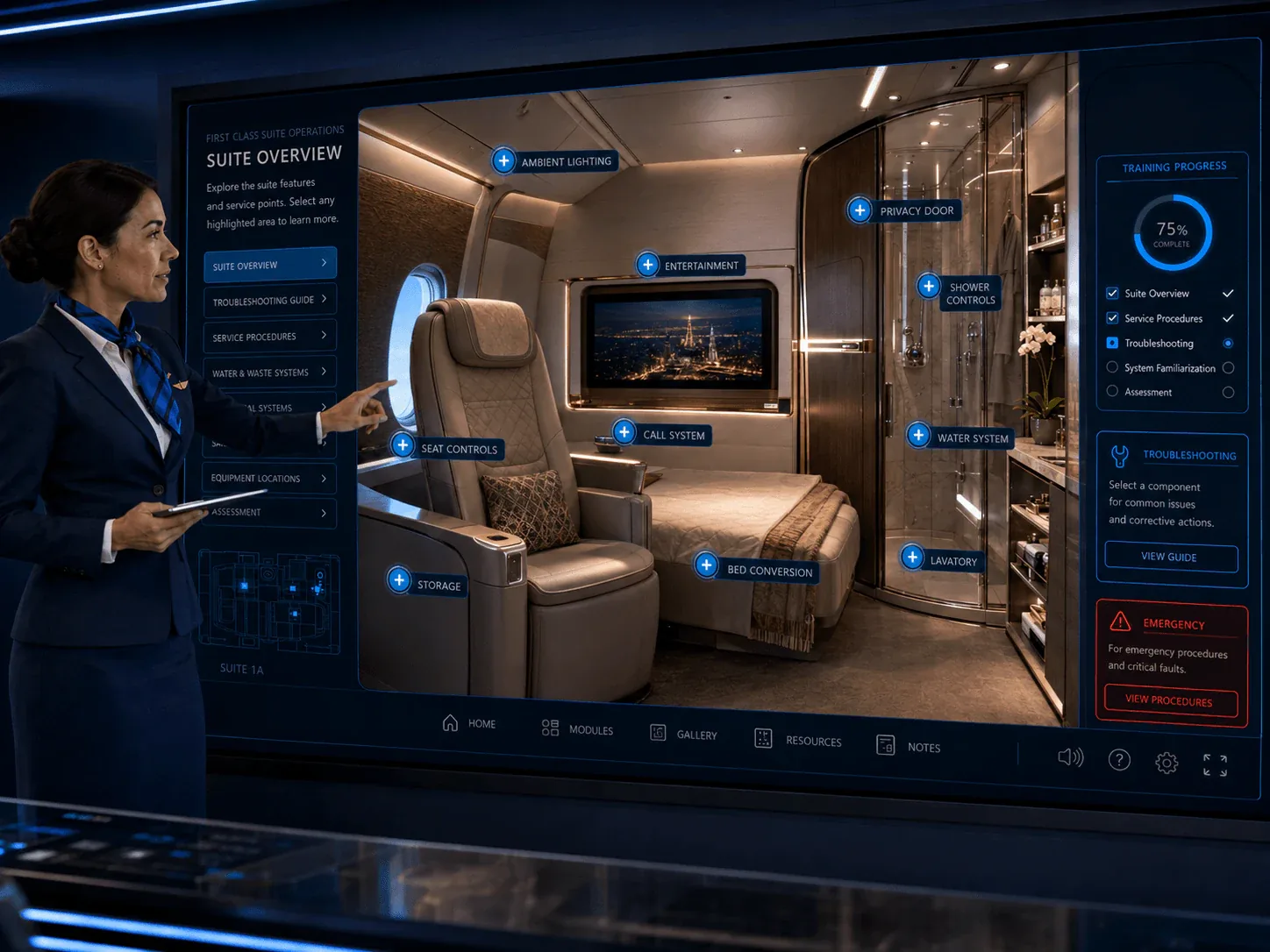
Premium cabin and first class suite troubleshooting
Premium cabins often include complex seat functions, privacy doors, lighting, call systems, entertainment, bed conversion, storage, water systems and lavatory or shower areas. Interactive training helps cabin crew understand how to support passengers, check features and follow troubleshooting guidance in a realistic visual environment.
Use cases for aircraft cabin training solutions
One reusable aircraft environment can support different training and operational audiences. Cabin crew can use it for familiarisation and learning content, while engineering or MRO teams can connect the same aircraft foundation with maintenance and technical information. Broader structured information can also be incorporated into an aircraft cabin digital twin.
These digital training modules can support airline training programs for cabin crew and operational teams, with content available online or as offline training material when required.
Aircraft familiarisation before physical aircraft access
In short: A visual aircraft cabin environment can help cabin crew, trainers and operational teams become familiar with an aircraft configuration before they physically enter the aircraft. Cabin zones, galleys, lavatories, emergency-equipment locations, seat products, monuments and other aircraft-specific details can be explored in advance.
This can improve orientation before classroom sessions, aircraft visits, recurrent preparation or instructor-led training and can reduce the time needed simply to understand where equipment and cabin areas are located. The digital environment complements the operator's training programme; approved manuals, required practical exercises and regulatory training remain the controlling source where applicable.
How an interactive cabin training module is developed
Effective cabin training begins with a defined audience and learning objective. 360air.space structures airline-provided content around the aircraft layout so learners can find information in the cabin area where it is relevant.
Depending on the project scope, optional layers can include multilingual content, SCORM-ready modules, analytics and airline-specific branding. The digital environment can support familiarisation, recurrent preparation and instructor-led or self-paced learning.
Operator manuals, approved procedures and mandatory practical training remain the controlling source where applicable.
Discuss an interactive aircraft cabin training solution
Explore related 360air.space solutions for this aviation use case.