
Digital Aircraft Cabin Support for Retrofit Planning
Aircraft cabin retrofit projects often begin before every stakeholder has convenient access to the physical aircraft. A structured digital representation of the existing cabin can help airlines, MROs, engineering teams and suppliers understand the as-is cabin configuration, communicate around the same visual reference and prepare retrofit activities before modification work begins.
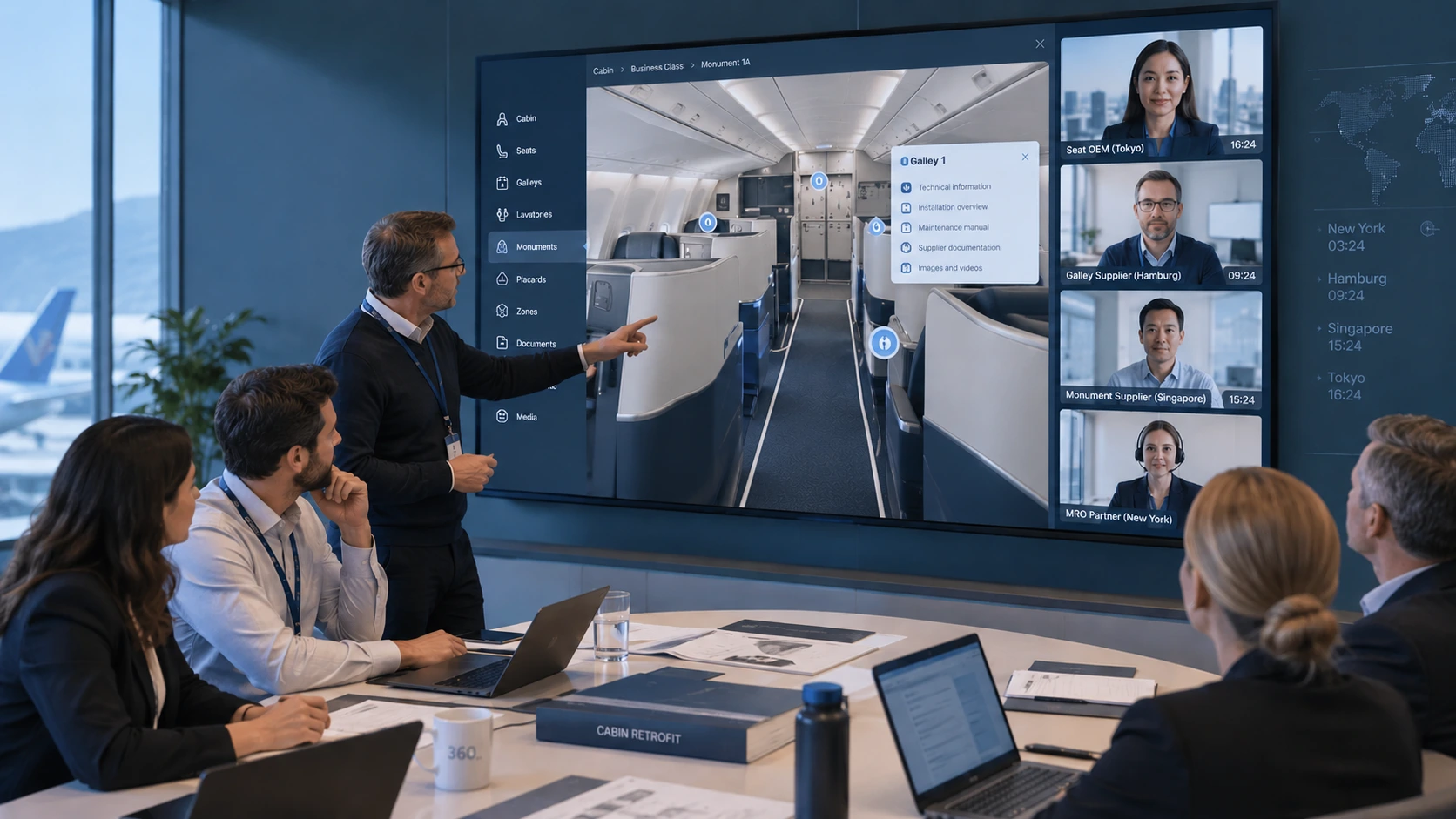
Understand the as-is aircraft cabin before modification
Retrofit planning depends on understanding what is installed in the aircraft today. A digital cabin environment can document visible cabin zones, seat products, monuments, galleys, lavatories, equipment locations and configuration characteristics so project teams can discuss the existing installation around a common aircraft-specific reference.
Support retrofit preparation before aircraft access
Airlines, MROs, suppliers and project teams can use the visual environment during early planning meetings, technical familiarisation and stakeholder coordination. This can reduce the amount of basic cabin orientation that must wait until the aircraft becomes physically available.
What information can support aircraft cabin retrofit planning?
The exact information depends on the aircraft, retrofit scope and customer requirements. A structured visual cabin reference can help project teams understand where relevant cabin items are located and how the existing configuration is arranged before physical modification activities begin.
Why the as-is cabin configuration matters
Aircraft of the same fleet type are not always identical. Cabin products, monuments, supplier equipment, previous modifications and customer-specific installations can create configuration differences between individual aircraft.
A retrofit planning environment can therefore be structured around the actual aircraft or configuration being modified rather than relying only on a generic aircraft-type representation. This gives airline and MRO teams a clearer visual basis for identifying configuration differences that may need to be considered during project preparation.
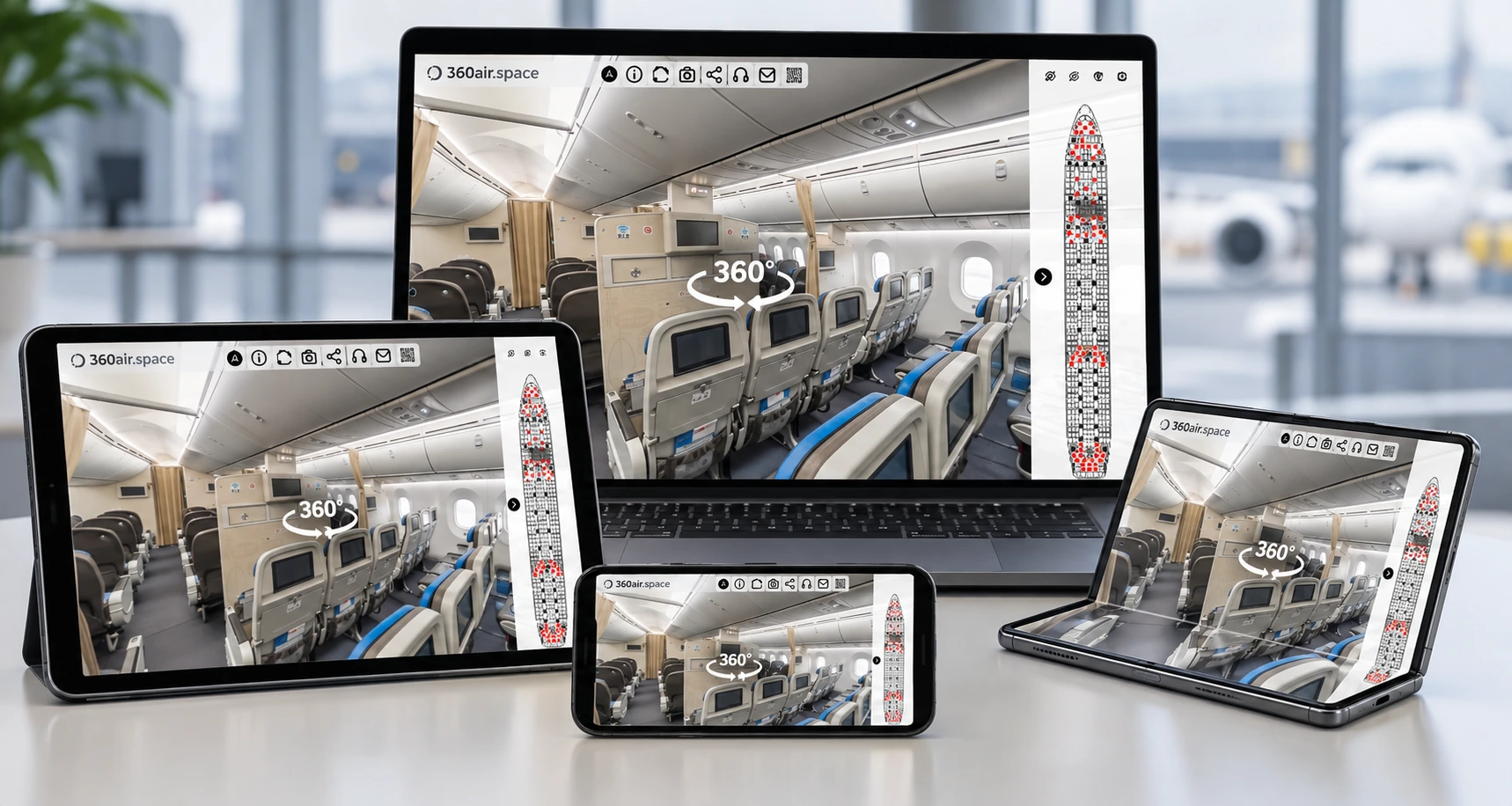
One visual aircraft reference for distributed retrofit teams
Cabin retrofit projects can involve airline engineering, cabin specialists, MRO teams, suppliers, programme management and other stakeholders working from different locations. A common digital cabin reference helps participants discuss the same aircraft areas during remote meetings and project reviews.
From visual cabin documentation to retrofit project information
A retrofit-focused digital environment can begin as structured visual documentation of the existing cabin and be extended with customer-approved project information where required.
Relevant documents, images, videos, configuration notes or other project references can be linked to the cabin locations where teams need them. This turns the aircraft view into a navigable project information environment rather than a collection of disconnected files.
Where broader requirements exist, the same visual foundation can form part of an aircraft cabin digital twin that supports additional engineering, maintenance, training or operational information.
Retrofit familiarisation before the aircraft enters the modification facility
Physical aircraft access is essential for many engineering and maintenance activities, but every early project discussion does not necessarily require the aircraft itself. A digital cabin environment can help project participants become familiar with cabin zones, installed products and relevant locations before an aircraft visit or modification input.
This is particularly useful when teams need to prepare questions, align terminology, review visible cabin areas, brief suppliers or coordinate upcoming onsite activities before everyone can access the aircraft.
Use the current cabin configuration as the retrofit reference
360air.space documents the aircraft cabin as it exists at the time of capture. This current configuration becomes the visual project reference. Approved drawings, specifications, supplier information, modification documents, links, images, videos and other customer-approved information can be connected to relevant cabin locations using icons and hotspots — including information that describes planned retrofit activities or a future configuration.
A separate digital model of the future cabin is not required. If the customer wants an updated visual record after the cabin has been reconfigured, 360air.space can scan the aircraft again and create a new post-modification cabin reference.
What digital retrofit support does not replace
In short: A digital aircraft cabin environment supports visual understanding, familiarisation and project communication. It does not replace the engineering and compliance information required to design, approve or physically perform an aircraft modification.
How an aircraft cabin retrofit planning environment is developed
The project starts with the aircraft configuration, retrofit objective and the teams that need to use the digital environment. 360air.space then structures the visual aircraft reference and customer-approved information around those requirements.
Related aircraft cabin retrofit and technical support
Retrofit planning often connects with aircraft cabin digital twins, maintenance information, technical familiarisation and aircraft transition activities. 360air.space can structure the digital environment around the specific project rather than forcing every use case into the same generic virtual-tour format.
Discuss an aircraft cabin retrofit planning project
Tell us which aircraft or cabin configuration you would like to capture and what information you would like to connect to the digital cabin reference.